
Review & automate
Review pull requests and merge requests
Read files, checks, and conversations before deciding what should ship.
2 min read Dragent guide
Connect the Git provider
Code reviews supports GitHub pull requests and GitLab merge requests. Authenticate the appropriate CLI on the machine where the project runs. Signing in to Dragent is separate from signing in to GitHub or GitLab CLI.
gh auth status
# For GitLab projects:
glab auth status
If authentication is needed from the review screen, use its embedded terminal flow. For a remote project, authenticate on the remote machine.
Find the review
Open Code reviews from the sidebar. Choose a project and review state, then search by title, branch, author, or number. Select a review to inspect its overview, files, commits, checks, and activity.
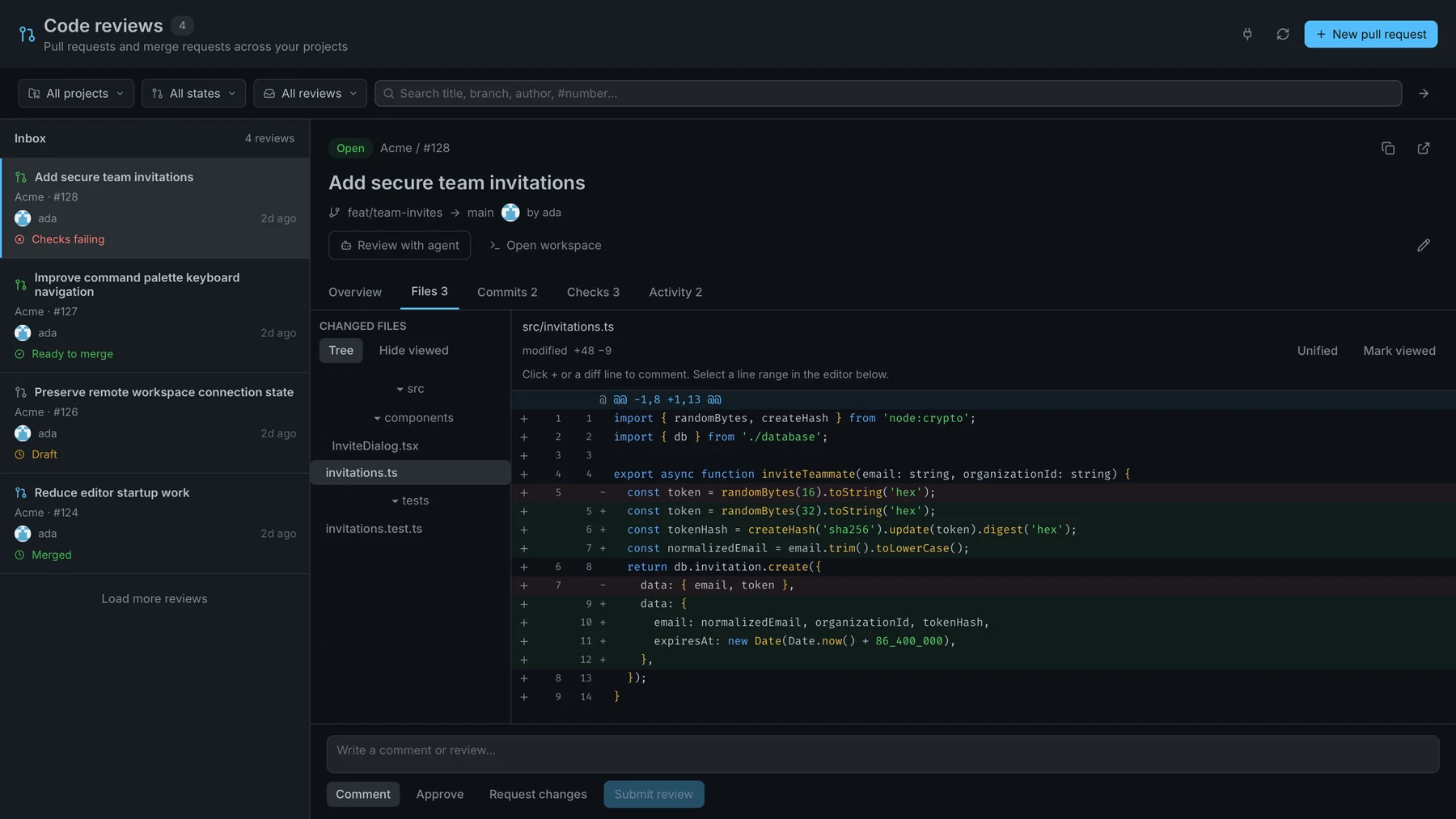
Read the diff and comment
Open Files, choose a file, and select a relevant line to begin an inline comment where supported. Inspect conversation threads in Activity and check CI status in Checks. Confirm whether an action saves a draft or publishes to the Git provider before submitting it.
Review with an agent
Use Review with agent to prepare a review workspace and instructions tied to the selected review. Check the agent, branch, and prompt before starting. Ask it to report actionable findings and verification. A review request does not grant permission to edit, push, merge, or publish comments.
Open the workspace
Use Open workspace when you want to continue in the review’s local working context. Check the selected branch, worktree, and any existing matching workspace before proceeding. The review browser and an editable checkout serve different purposes; inspect changes before taking an action that affects the repository.
Finish deliberately
Read the checks, resolve relevant discussions, and choose the merge action supported by the provider and your permissions. If an action reports a partial failure, inspect the provider before retrying a write so a comment or review is not published twice.