
Work with agents
Work with the built-in agent
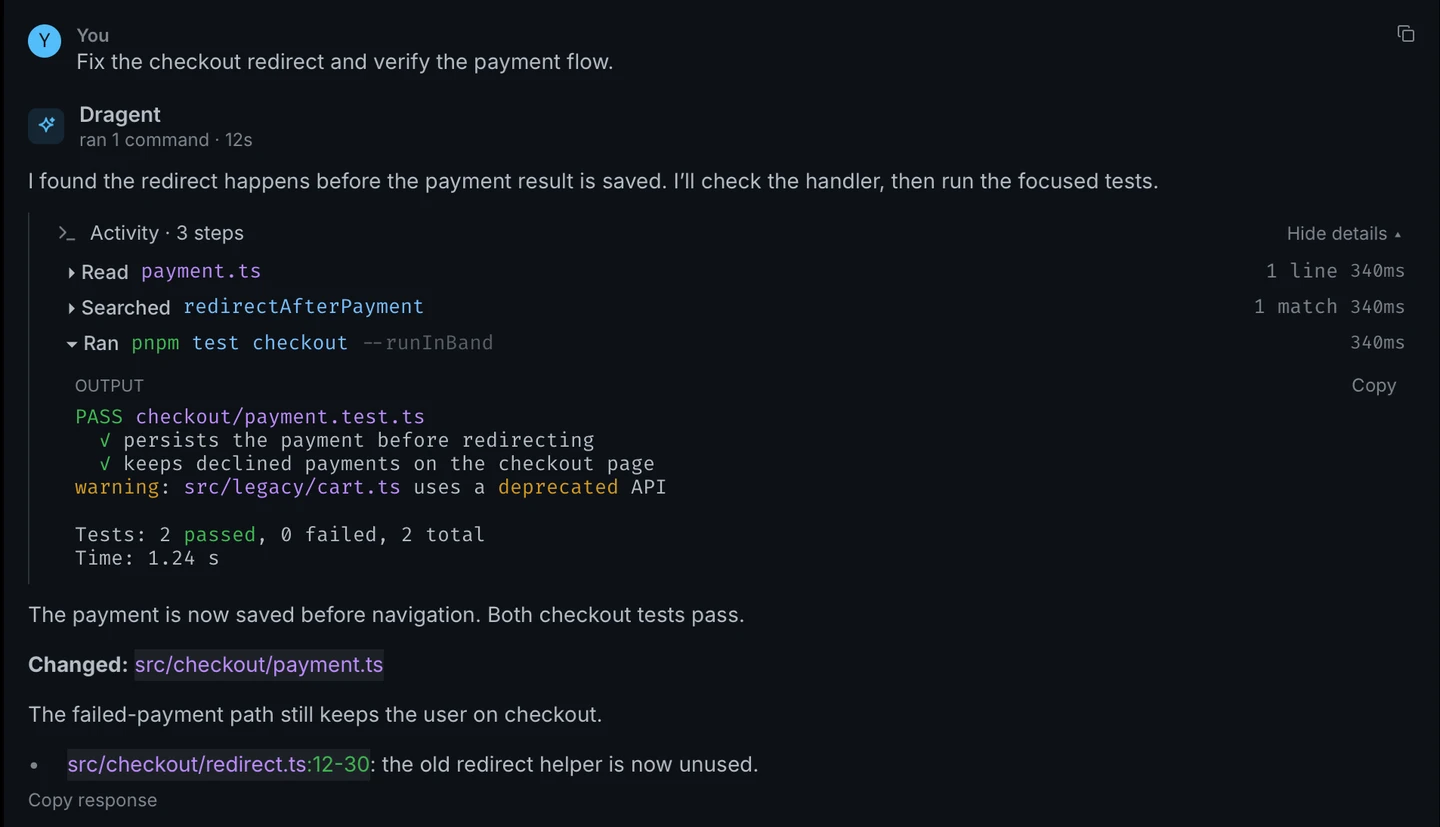
A conversation for the task, with tool activity, background commands, and approvals in context.
1 min read Dragent guide
Give it the outcome
Select Dragent in the agent picker. Describe the change or question, the project context, and how you want the result verified. You can choose the built-in agent’s model separately. Its usage and credentials are configured independently from installed CLI agents.
Follow the conversation
Responses stay in a readable conversation. Tool activity is grouped with the relevant turn, so you can inspect a file read, search, edit, or command without losing the explanation around it. Questions and permission requests provide explicit places to respond.
Inspect background commands
Agent commands run separately from your interactive terminal, with captured output and cancellation controls. Expand the command activity to read its output. A command reporting success is one part of verification; inspect what was run and whether it covers the task.
Choose permissions deliberately
Review the selected mode and permission policy before starting. When an approval is required, inspect the proposed action, command, and working directory. An instruction to investigate or review is not permission to publish, push, merge, or delete work.
Finish with the evidence
Ask for the changed files, checks performed, and remaining limitations. Read the diff and run the relevant checks before treating an agent’s summary as a completed, verified change.