
Work with agents
Choose accounts per project
Separate Dragent sign-in, Git authentication, and agent provider accounts.
1 min read Dragent guide
Three different identities
| Identity | Used for |
|---|---|
| Dragent account and organisation | Your workspace context, connected services, and Dragent billing. |
| Git provider login | GitHub or GitLab repositories, pull requests, merge requests, and checks. |
| Coding agent account | The provider account used by an installed CLI such as Claude Code or Codex. |
Supported isolated profiles
Settings → Agent Accounts supports isolated Claude Code and Codex profiles on supported Unix hosts. Profiles have their own configuration directory and are bound to a machine. Other agents can use their normal system authentication; independently isolated storage is not claimed for every provider.
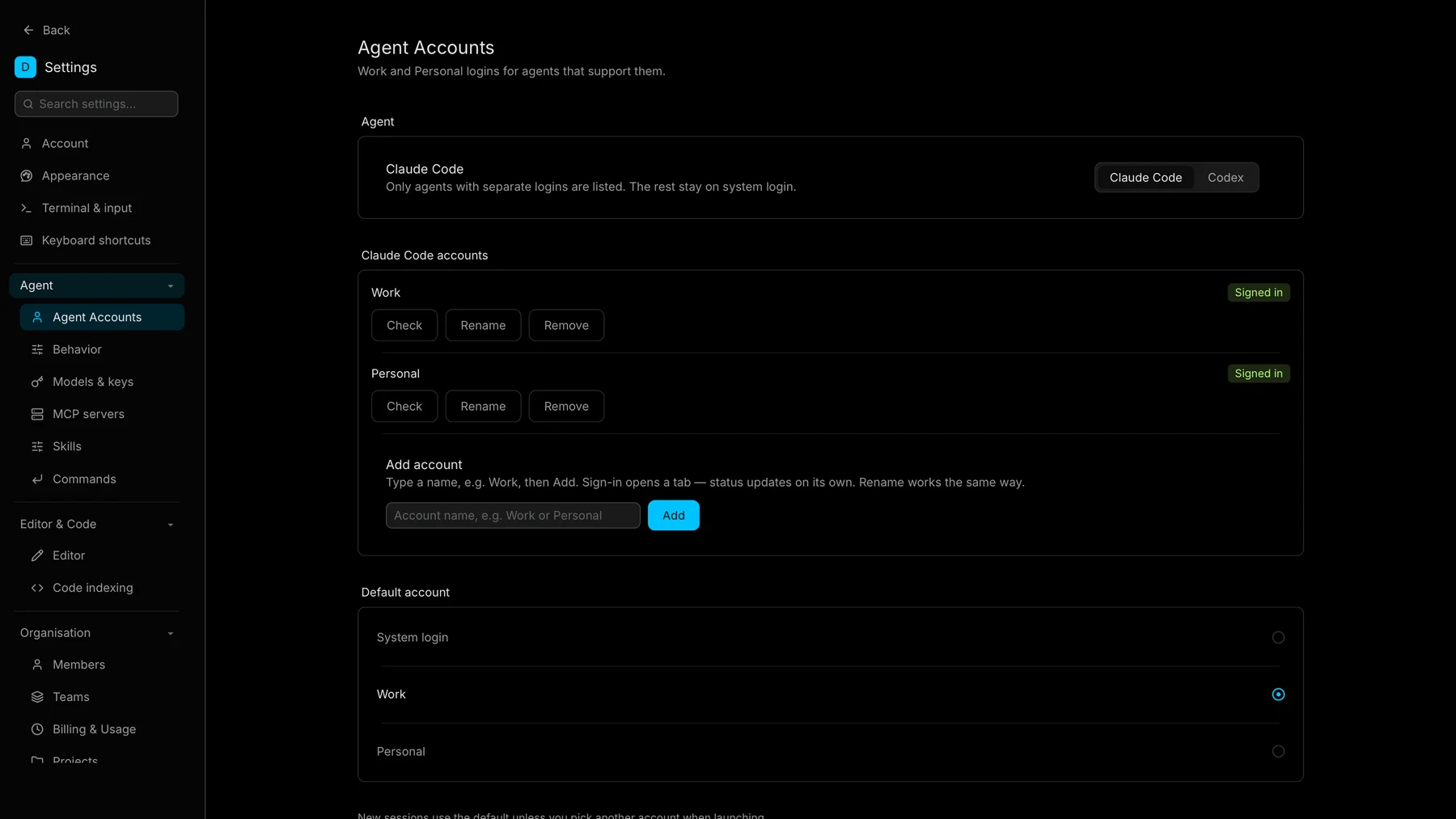
Set a project default
Add a profile, complete its native sign-in, check its status, and select it as the provider’s default for the project. The launch captures the chosen account context. An existing conversation should not silently resume under a different provider account.
Remote and Windows limitations
Authenticate a remote profile on its own host. A local profile does not copy credentials to another machine. Isolated profile ACL handling is not currently implemented for Windows hosts; use system authentication there.