













Give the goal.
Keep the team in sync.
Let a lead break the work into tasks and assign workers. See owners, dependencies, and handoffs. When the team needs a decision, you’re in the conversation.
Meet your agent team
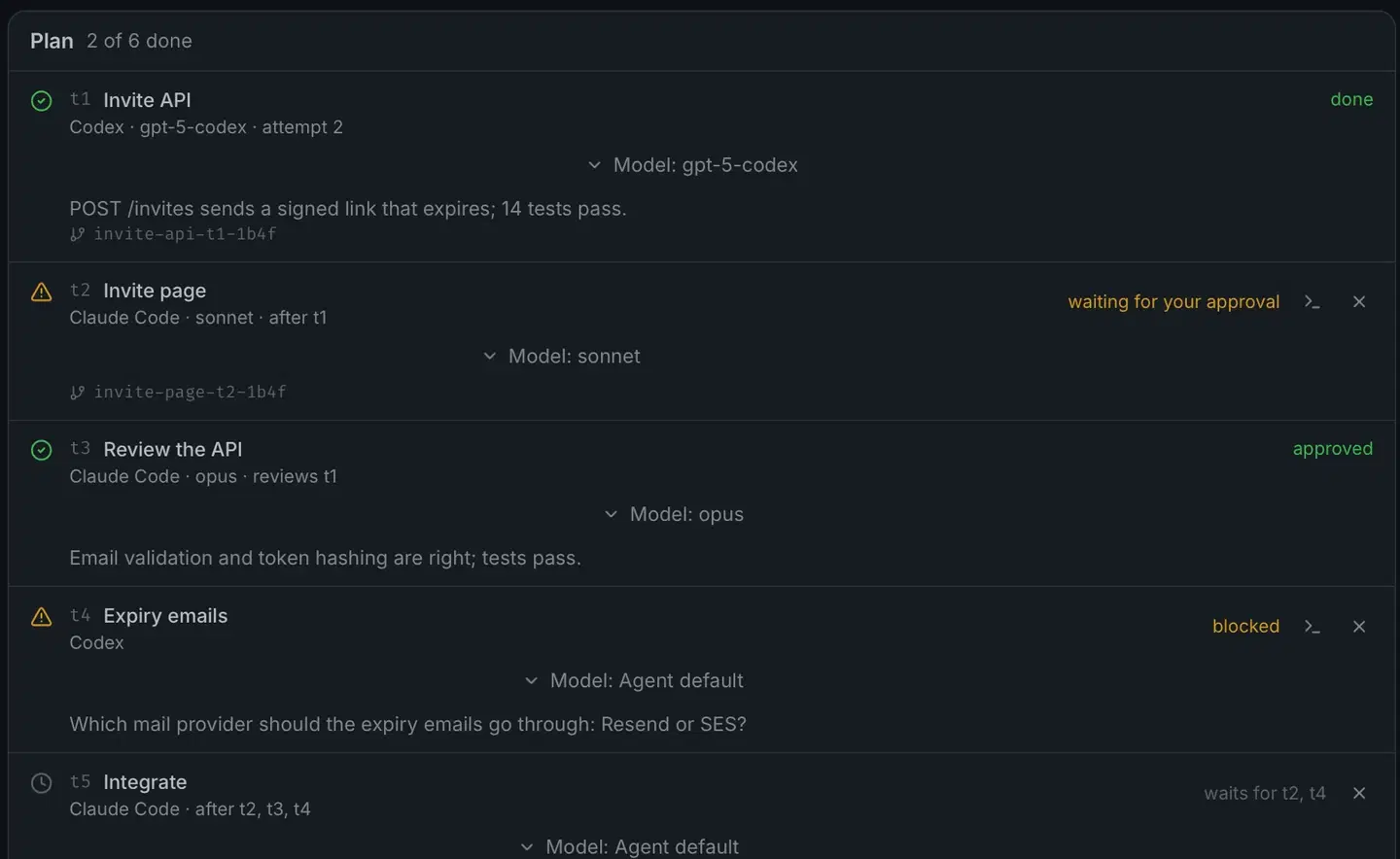
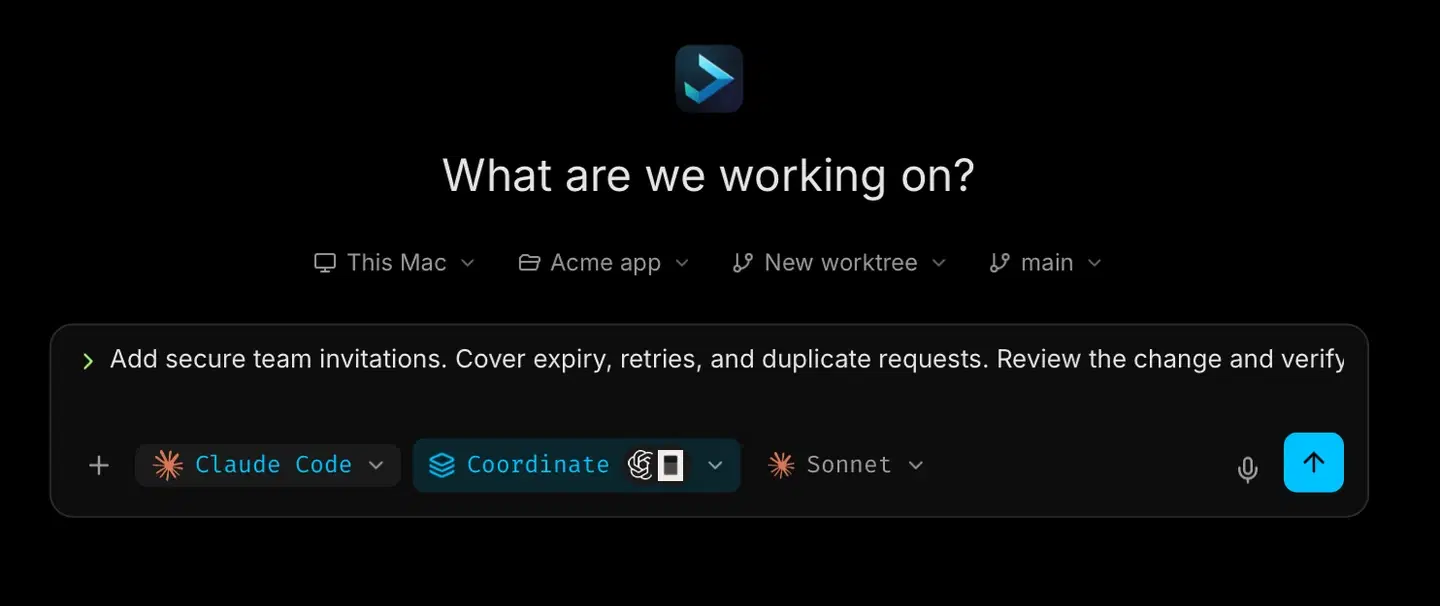
Give a lead agent your goal. It splits the work across isolated Git worktrees,
hands each part to Claude Code, Codex, or any agent you use, and asks you only when a decision is yours.
macOS & Windows Free to get started
Dragent on your phone
Pair your phone once by scanning a code on your desktop. When an agent needs you, the question reaches your phone. Answer it, follow the chat, or pick up a terminal, and the work keeps moving on your machine.
iPhone and Android. Pair from Settings → Mobile on your desktop. Everything between your phone and your desktop is end-to-end encrypted.
How a team works
Five moments from goal to review. You’re in two of them.
Splits the goal into tasks, decides who does what, and what must wait for what.
Each worker gets its own worktree and its own files, and messages the others when something shared changes.
A decision only you can make arrives as a question, on your desktop and your phone.
Tests, linters, and the original goal, before anything reaches you.
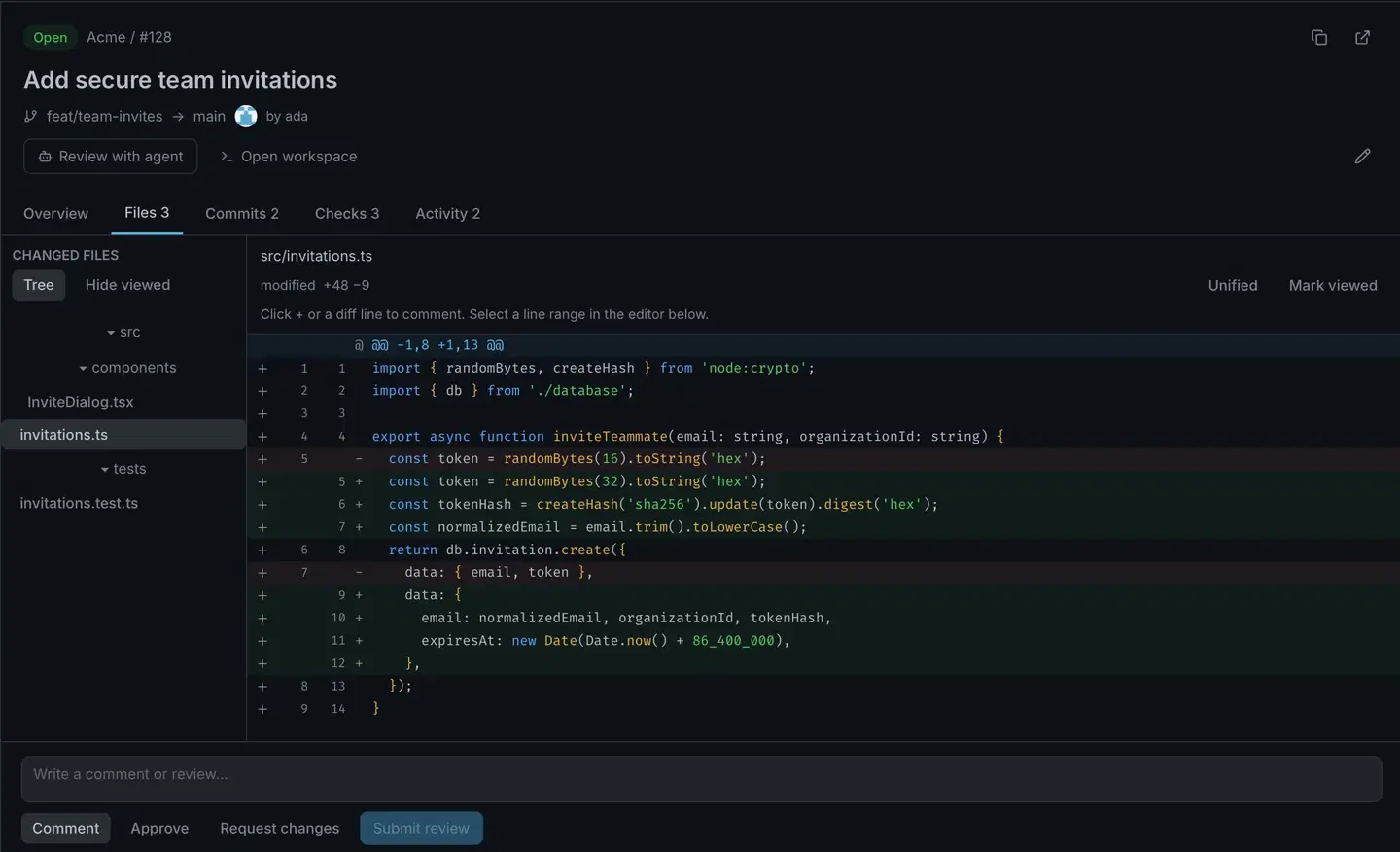
One change, with what was done and how it was checked. Comment on a line and it goes back to its worker.
39 supported agents — or add your own CLI
Where each agent works
Each worker gets a modern terminal, an editor, and its own branch. Failed commands get fixed where they broke, and finished work goes straight to review. Open any of them when you want the inside view.
The workspace around the command
Dragent brings commands, project context, and agent-assisted delivery into one focused workspace—without asking you to leave the tools you already use.
See how the workspace works
Switch between shell and agent mode — run commands, or ask the agent to write and refactor code.
Built around the work
Everything you need to keep agents moving.
Without keeping a dozen windows in your head.
Let a lead break the work into tasks and assign workers. See owners, dependencies, and handoffs. When the team needs a decision, you’re in the conversation.
Meet your agent team
Give each change its own Git worktree. Start another agent without putting your current work on hold.
Make room for parallel work
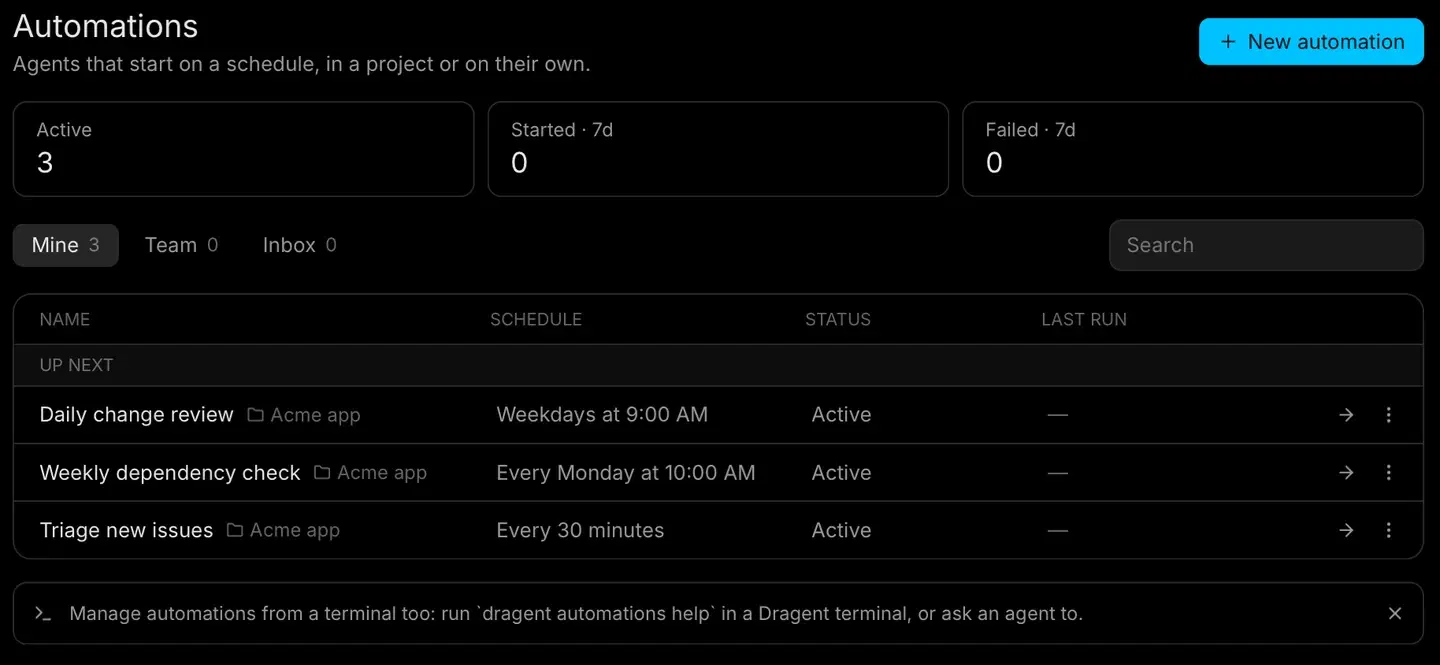
Schedule the review, the dependency check, or the daily triage. Pick the agent, prompt, and place to run.
Put recurring work on a schedule
Review & ship
Read the diff, follow the discussion, and check CI in one view. Bring an agent into the review when you want a second set of eyes.
Explore code reviews

Remote, without the detour
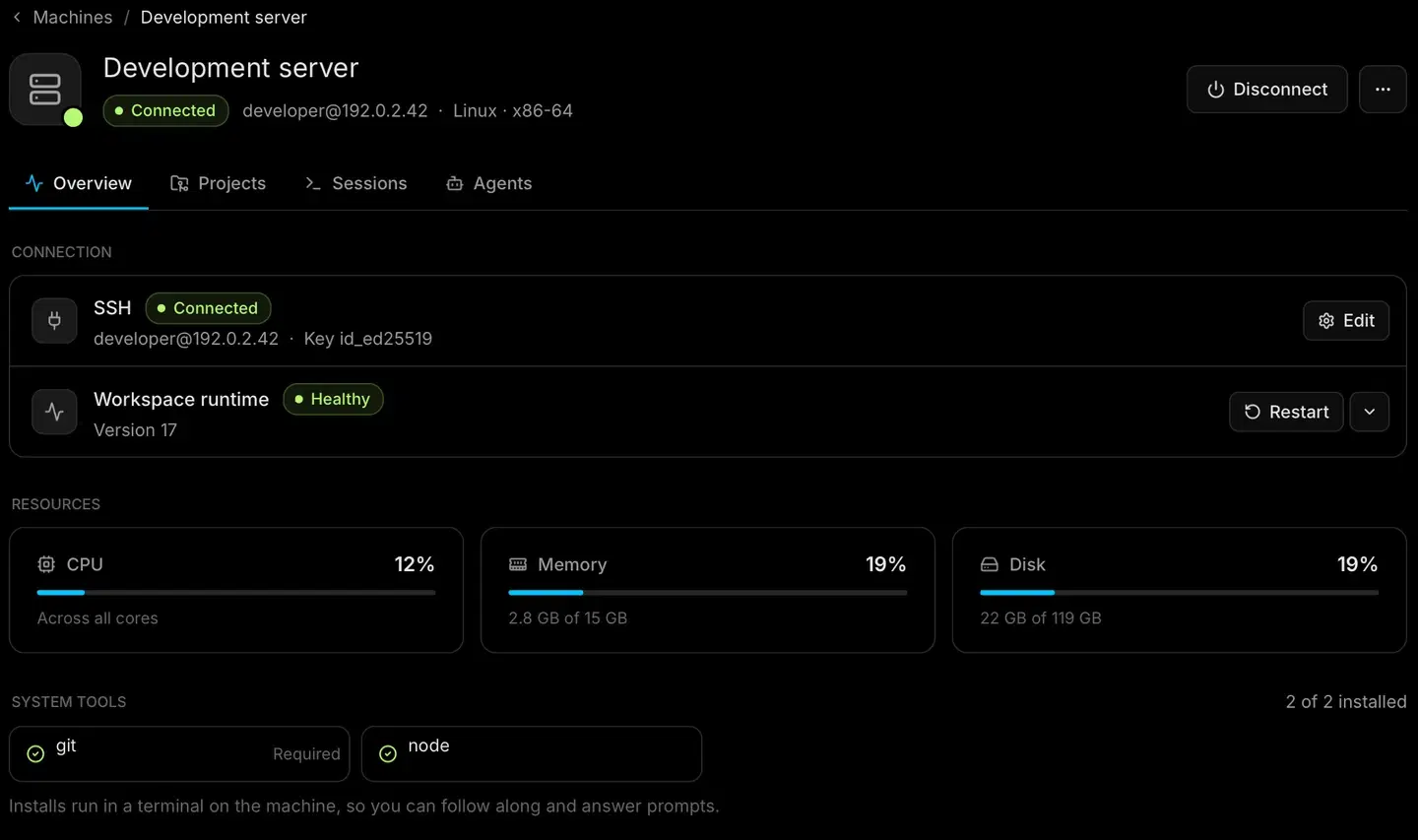
Keep the code and compute on your SSH host. Bring its files, terminal, Git, and agents into Dragent.
Supported macOS and glibc-based Linux hosts. Agent authentication happens on the host.
Built-in browser
Every workspace has a real browser beside the code. Agents open the app they built, click through it, and check the screen, at desktop and phone widths. Step in whenever you like.
Sign-ins import from Chrome, Edge, Brave, Arc, Vivaldi, and Firefox.
Nothing left out
Workers message each other and the lead about shared types and API changes, so parallel work fits together.
The built-in browser lets an agent open your app, click through it, and check the screen it was asked to build.
When the lead needs a decision, it reaches your phone. Answer from the notification, end-to-end encrypted.
Give a Linear, Jira, or GitHub issue as the goal. Agents read it and work with your connected tools.
Automations start agents on a schedule or when something new arrives, and report what they did.
Run one agent for a small change. Open any worker's live terminal, editor, and diff whenever you want.
Meet the Dragent agent
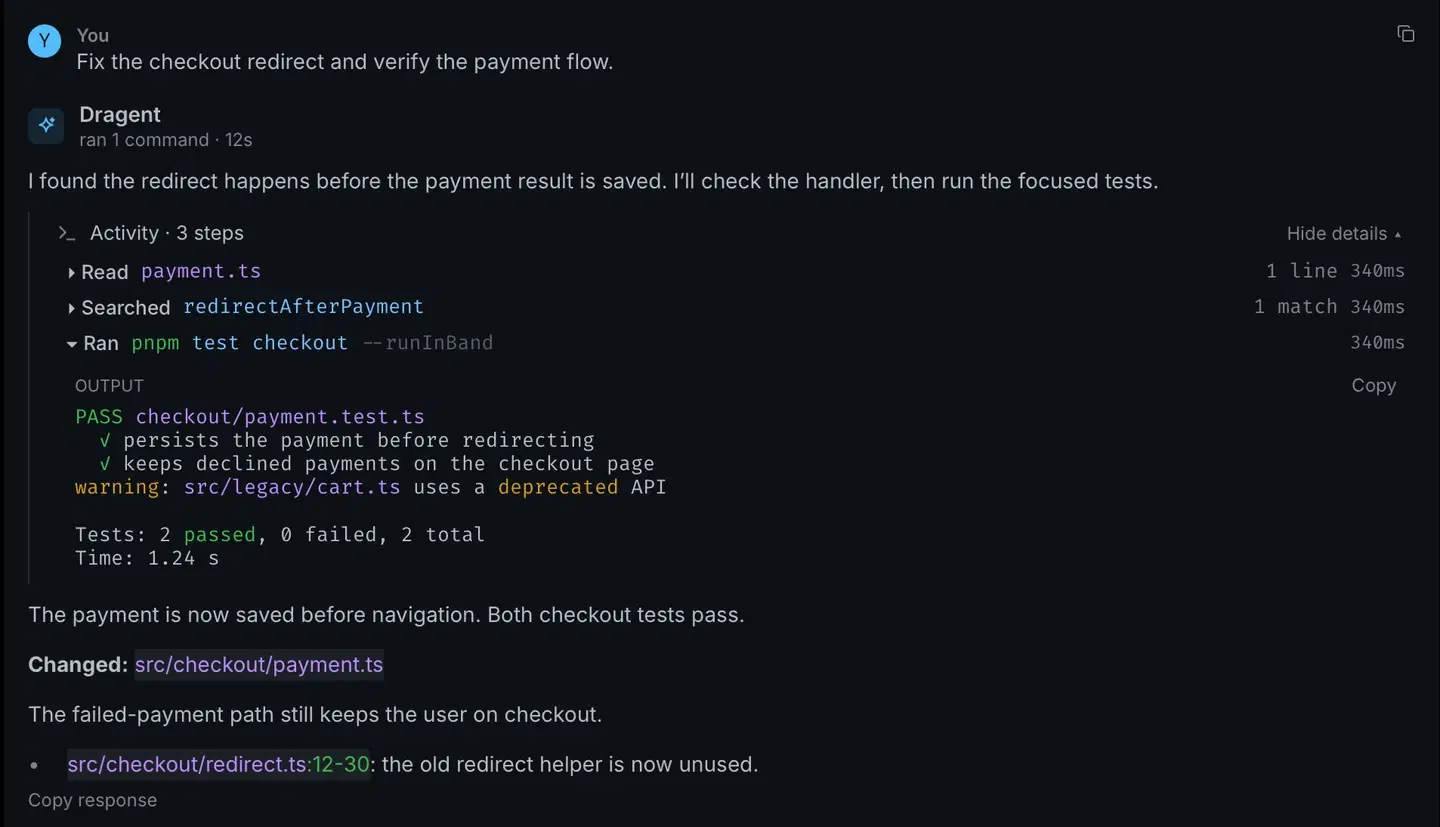
Explore a codebase, plan a change, and follow it through. Read the explanation, expand the tool activity, and respond when the agent needs your input.
Commands run in the background with captured output. Your interactive terminal stays free for your own work.
Work with Dragent
Made for the way you build
Use the desktop when you want the full picture. Use the CLI to inspect sessions and start work. Give agents coordination tools through Dragent MCP.
Explore the command line# See the work in flight
❯ dragent workspaces list
# Inspect an agent’s terminal
❯ dragent agents read AGENT_ID --lines 80
# Follow the team
❯ dragent tasks list
❯ dragent msg inboxConnect your agents with MCP Practical guides, clear concepts, and the commands you need.
Open the documentationDragent is a desktop workspace for coding agents. It brings projects, Git worktrees, terminal sessions, an editor, agent coordination, remote machines, and code reviews into one app. Start with one agent, or coordinate a team when a task needs several contributors.
Installed CLI agents use their own provider authentication and billing. Install and sign in to the CLI on the machine where the project runs. Dragent’s built-in agent has separate model and usage settings; it does not replace or include an external agent subscription.
No. Start a workspace with a single agent or a terminal. Use separate worktrees for independent tasks, and enable coordination when you want a lead to manage tasks, workers, dependencies, and handoffs.
Yes. Connect a supported macOS or glibc-based Linux machine over SSH. The project, terminal commands, and agent CLIs run on that host. Authenticate the agents on the host; local provider logins do not automatically transfer. Remote connected-service tools need the desktop bridge to remain signed in and connected.
Yes. Code reviews supports GitHub pull requests and GitLab merge requests. Authenticate gh or glab on the machine hosting the project. Your Dragent sign-in and Git provider login are separate.
Desktop installers are available for macOS and Windows, with Apple Silicon, Intel, x64, and Arm64 builds. A Linux desktop download is not currently listed. Supported Linux machines can be connected as SSH hosts.

Bring your next project and the agents you already pay for.
macOS & Windows Free to get started